%20(250%20x%20100%20px).png)




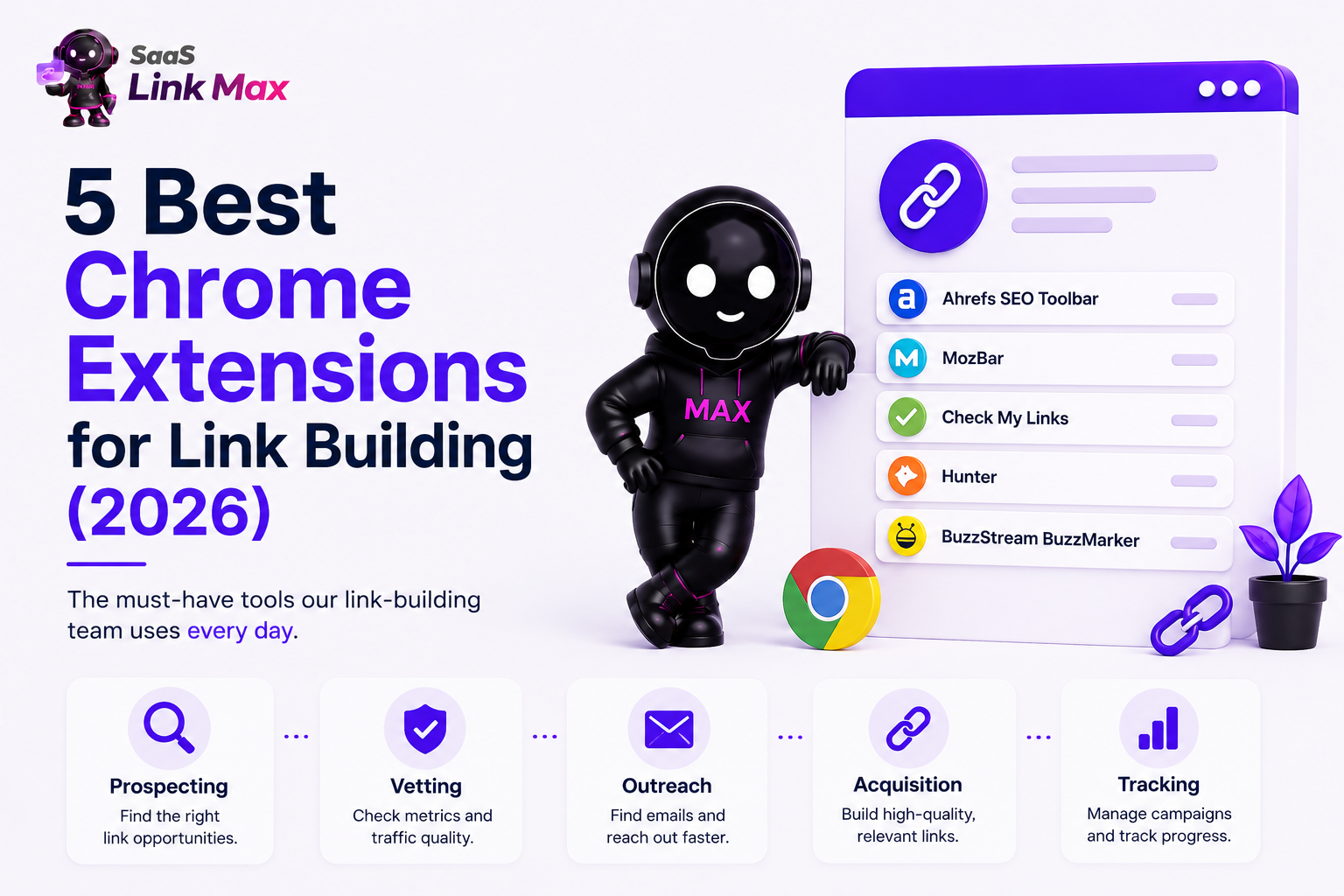
Based on market reviews and our link-building team’s testing, the 5 best Chrome extensions for link building are:
- Ahrefs SEO Toolbar (metrics and broken-link detection),
- MozBar (instant Domain Authority and Page Authority),
- Check My Links (broken-link building),
- Hunter (outreach email discovery), and
- BuzzStream BuzzMarker (prospect and campaign management).
Each one handles a different part of the link-building workflow - prospecting, vetting, outreach, and tracking - and together they cover the full process without forcing you to leave your browser.
The team at our SaaS link-building agency runs these extensions nearly every day while building links for SaaS clients. What follows is based on that hands-on use.
Quick Comparison
Why Trust This List
I’ve talked to our teams, reviewed what colleagues from other agencies say online, and combined it with my own 9+ years of link-building experience to bring you this list of five extensions. These are part of our team's daily toolkit across guest posting, SaaS niche edits, and even digital PR campaigns. I filtered the final list based on what saves time and improves link quality.
Now, to the first tool!
1. Ahrefs SEO Toolbar
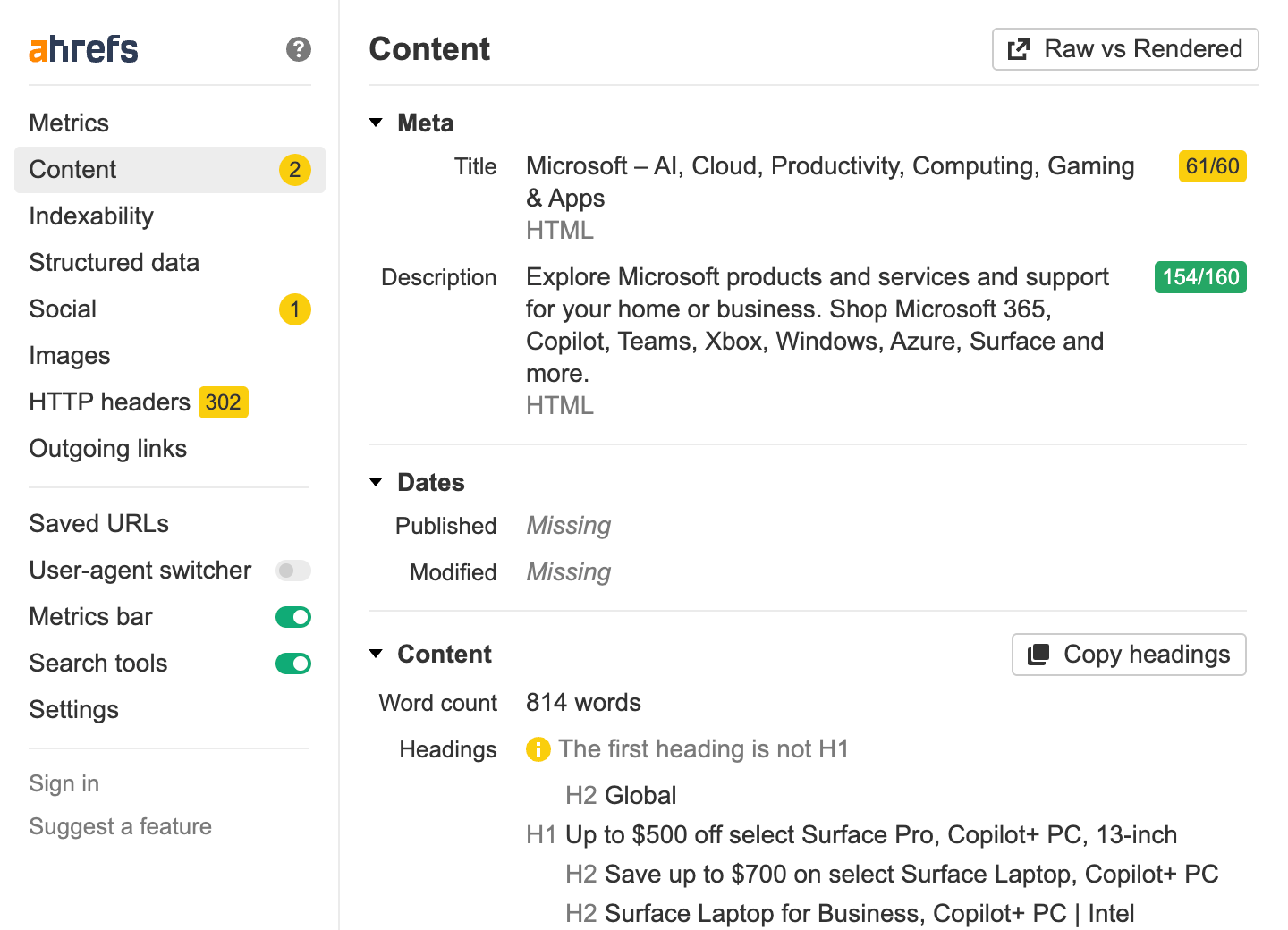
Ahrefs SEO Toolbar overlays Domain Rating, URL Rating, referring domains, and organic traffic estimates directly on Google search results and any page you visit. It also includes an on-page report, a broken-link checker, and a redirect tracer.
Best for: Vetting link prospects fast, without opening a new tab for Ahrefs' full platform.
Key Features
- SERP overlay with DR, backlinks, and keyword data (requires an Ahrefs login)
- On-page audit showing titles, headers, and canonical tags
- Built-in broken-link and redirect-path checker
- One-click country switching for checking localized SERPs without a VPN
Pricing
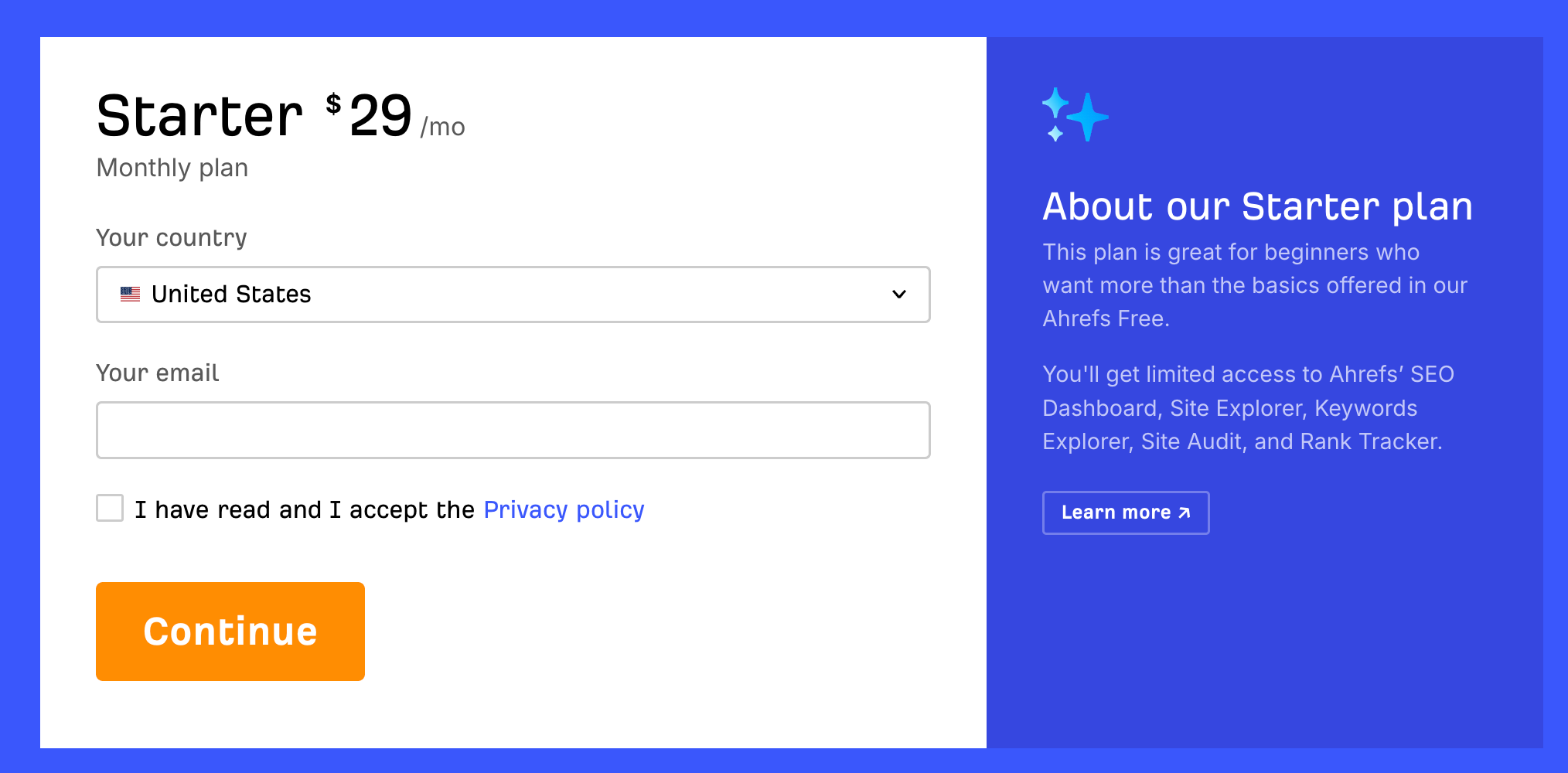
Free to install; full metrics require an Ahrefs subscription (starter plans start at around $29/month).
Why Our Team Uses It
When we're prospecting for a client, this is usually the first extension we open. Being able to eyeball DR and referring domains right on the SERP before we even click into a site cuts our qualification time significantly.
It's also how we catch broken outbound links on resource pages during outreach, which turns a cold pitch into a much warmer "hey, this link is dead, here's a replacement" tested outreach email.
2. SimilarWeb
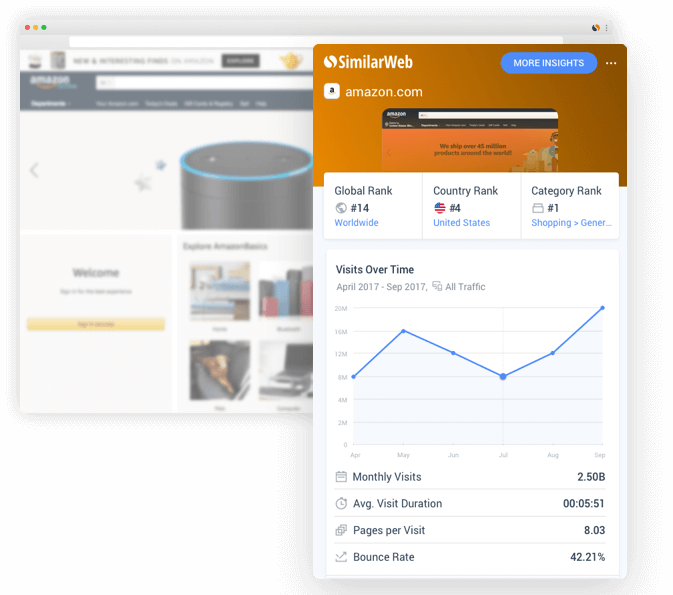
SimilarWeb shows estimated traffic, top traffic sources, top-performing keywords, and geographic distribution for any site you visit - all in a single click.
Best for: Vetting a prospect's real audience and traffic quality, not just its authority score.
Key Features
- Estimated monthly traffic and traffic trend for any domain
- Breakdown of traffic sources (organic, referral, social, direct)
- Top organic keywords the site ranks for
- Geographic distribution of visitors
Pricing
Free with limited data; Pro plans start around $199/month for deeper historical data. You need to talk to sales to get your personalized pricing offer.
Why Our Team Uses It
Authority metrics like DA and DR tell you how a site's link profile looks, but they don't tell you whether anyone's reading it. Before we pitch a guest post or ask for a niche edit, we'll pull up SimilarWeb to confirm a site has real, active traffic. It's also a fast way to sanity-check a prospect during SaaS digital PR outreach, where relevance and readership matter as much as the link itself.
3. Hunter
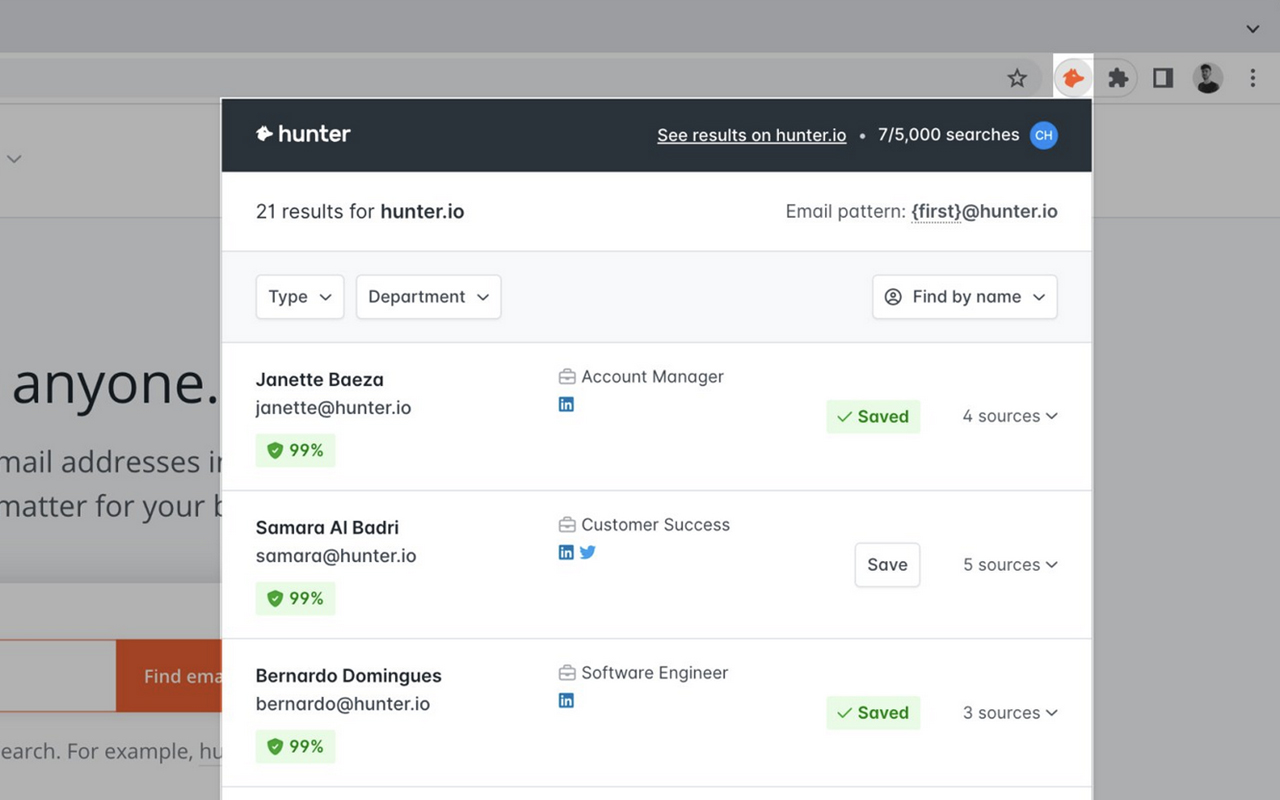
Hunter finds verified email addresses tied to any domain you're visiting, complete with confidence scores and the source page where the email was found.
Best for: Outreach prospecting and getting one-click contacts.
Key Features
- One-click email discovery on any domain
- Confidence scoring so you know which emails are safe to use
- Works on LinkedIn profiles as well as company sites
- Integrates with CRMs like HubSpot and Salesforce
Pricing
Free (25 searches/month); paid plans start around $49/month.
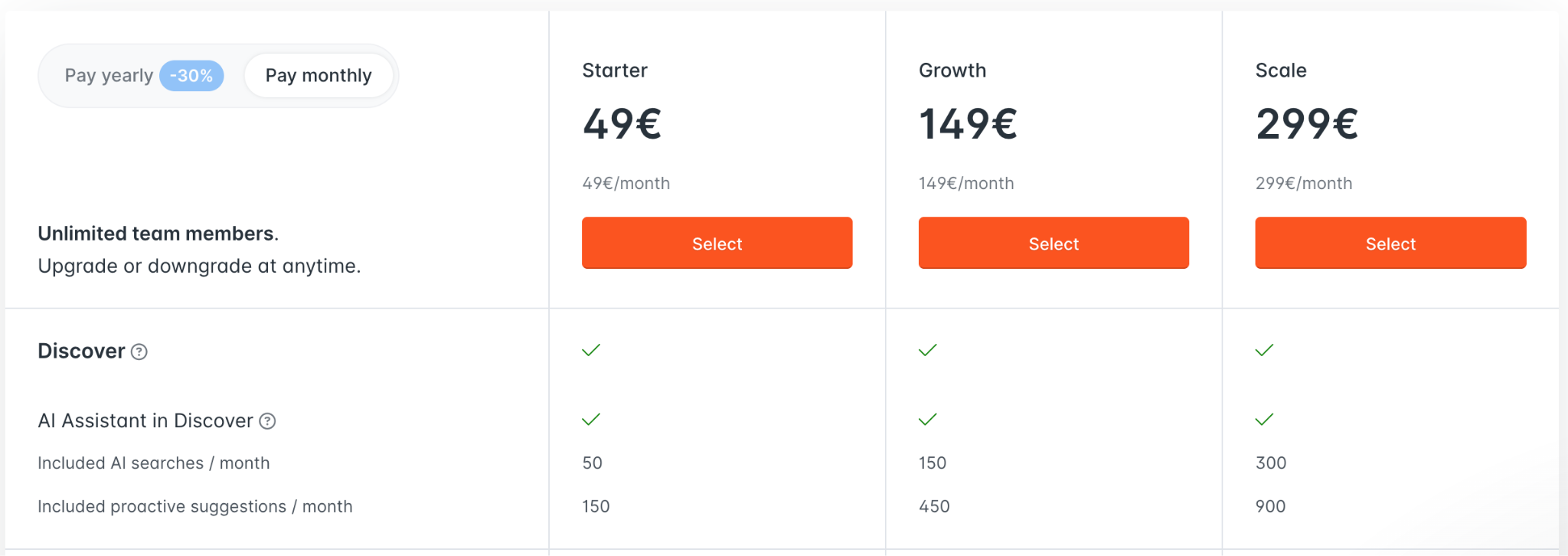
Based on our experience, these 25 searches run out real quick, so you might want to consider going for the paid plan.
Why Our Team Uses It
No matter how good your pitch is, it's useless without a real inbox to land in. Hunter eliminates the guesswork of piecing together a "firstname@company.com" pattern and checking whether it bounces. For contributor guidelines pages or "write for us" pages specifically, it's often faster than digging through a site's contact page.
4. Snov.io
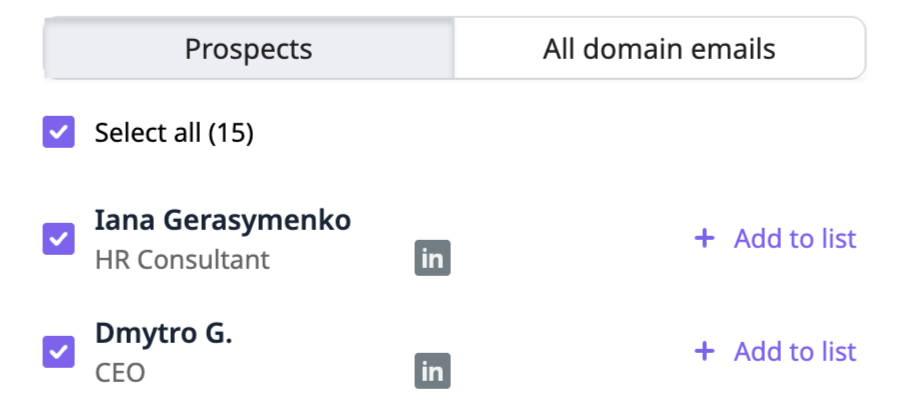
The Snov.io extension finds verified email addresses on any domain or LinkedIn profile you're browsing, then lets you push those contacts straight into a Snov.io outreach campaign with automated follow-ups.
Best for: Teams running outreach at scale who want prospecting and campaign management in one tool.
Key Features
- One-click email discovery from company sites and LinkedIn
- Bulk domain search for finding multiple contacts at once
- Direct push into drip email campaigns with follow-up sequencing
- CRM and email verification built in, so bounce rates stay low
Pricing
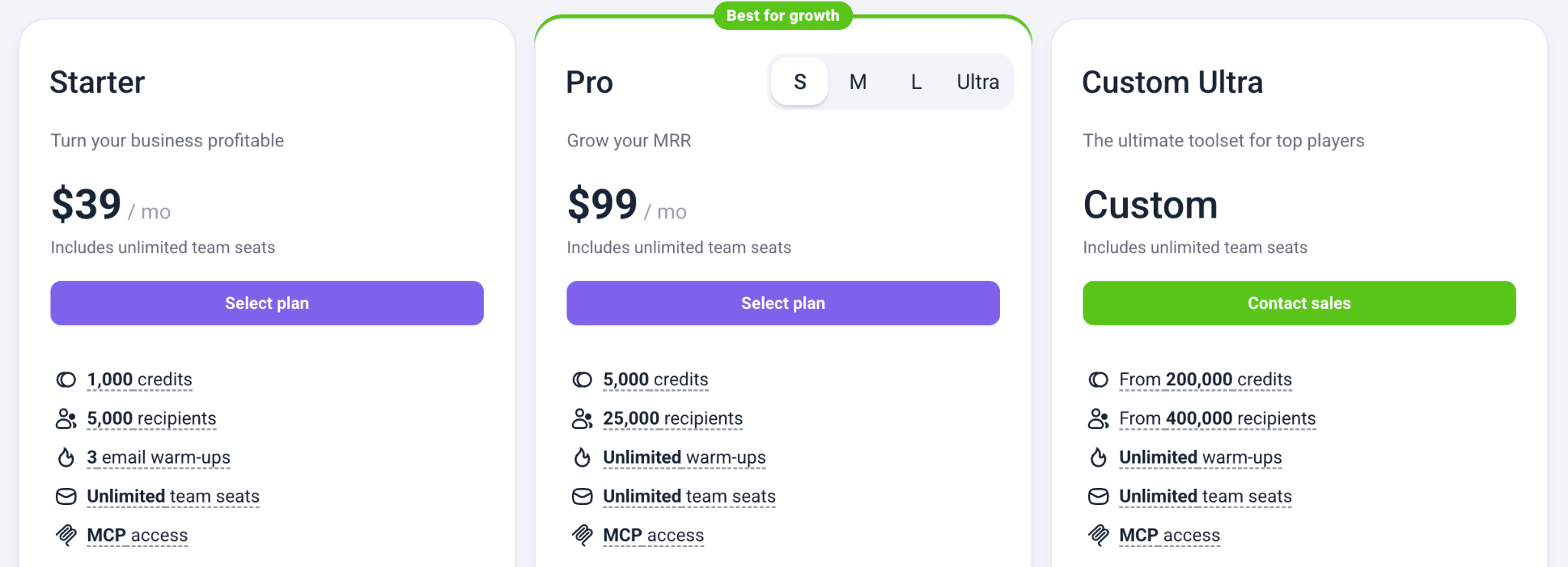
Free tier with limited monthly credits; paid plans start around $39/month.
Why Our Team Uses It
Once outreach volume grows past a handful of pitches a week, jumping between an email finder and a separate campaign tool starts costing real time. Snov.io lets us go from "found a contact" to "added to a follow-up sequence" without leaving the browser, which is why it's become a staple for our team's larger SaaS guest posting and outreach campaigns.
5. Check My Links
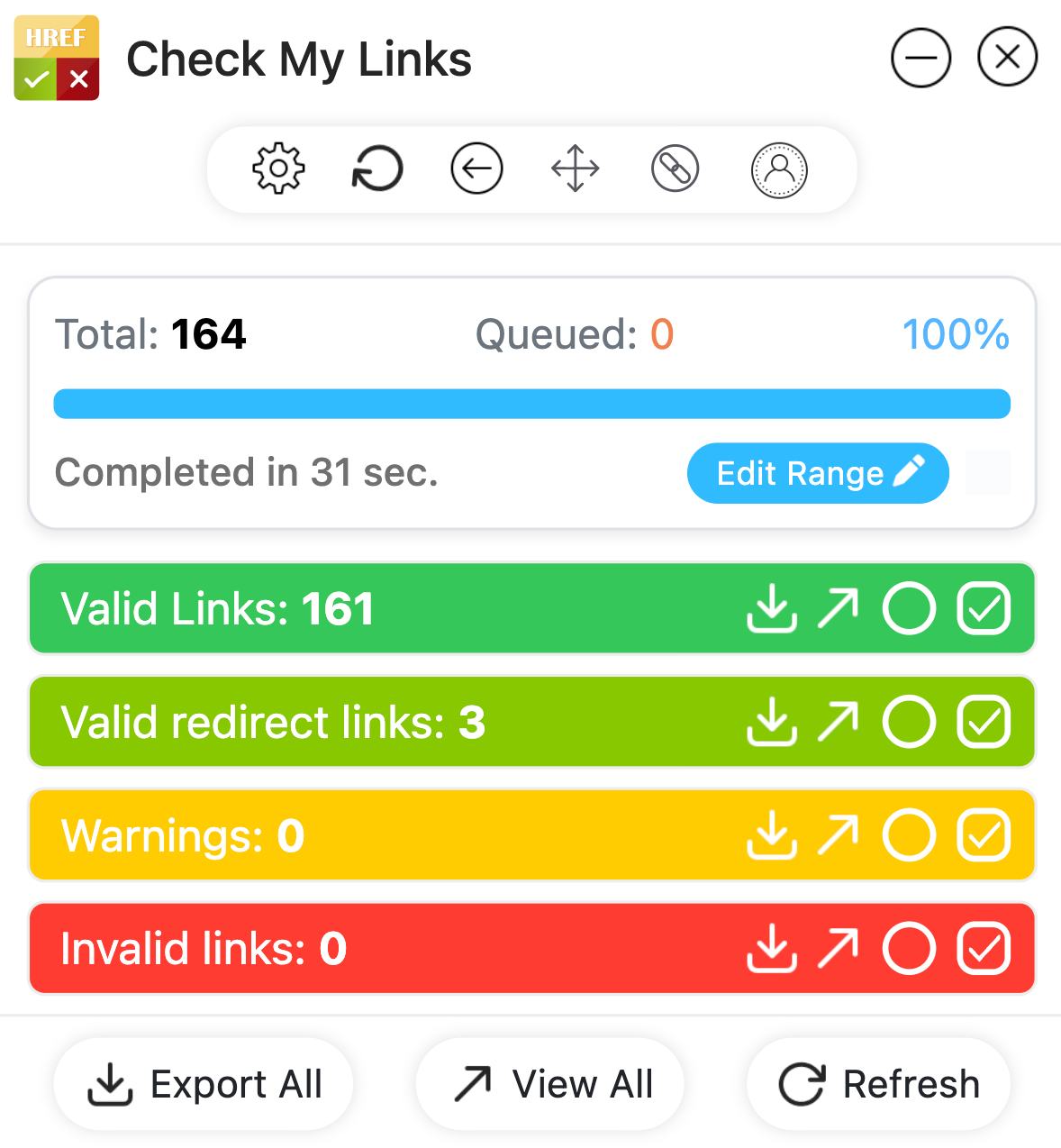
Check My Links crawls the current page and color-codes every link: green for valid, red for broken, and yellow for warnings such as empty anchors. It's built specifically for broken-link auditing.
Best for: Broken-link building - finding dead links on resource pages and pitching your content as the replacement.
Key Features
- One-click scan of every link on a page
- Color-coded results (no manual clicking required)
- CSV export of all links and their status codes
Pricing
Free for core features; a one-time $70 unlock adds advanced features.
Why Our Team Uses It
Broken-link building is still one of the highest-conversion outreach angles we use for SaaS clients, and this extension is the fastest way to run it at scale. We'll open a resource page, scan it in seconds, and immediately know whether it's worth an email. If you want the full playbook for how we structure these campaigns, I've covered it in our guide to manual link building.
Extensions Our Team Also Recommends
Beyond the core five, a few extensions show up often enough in our workflow that they're worth a mention:
- Wayback Machine - Useful when a broken-link target has disappeared entirely. You can pull up the archived version to confirm what the original content was about before pitching a replacement.
- NoFollow - A quick way to check whether a page is set to noindex or nofollow before you spend time pitching it. Saves you from chasing a link that won't pass authority anyway.
- Linkclump - Not link-building-specific, but genuinely useful once your prospect lists get long. Drag-select a batch of URLs from a SERP or directory and open them all in new tabs at once instead of clicking one by one.
Think of these as time-savers you add once your workflow is already dialed in.
How to Build Your Link Building Extension Stack
You don't need all of these running at once - too many active extensions will slow Chrome down and clutter your toolbar. Here's how we'd stack them by use case:
- Prospecting: Ahrefs SEO Toolbar + SimilarWeb + NoFollow (cross-check authority, real traffic, and follow status before you commit time to a prospect)
- Broken-link building: Check My Links + Wayback Machine
- Outreach: Hunter + Snov.io
If you're just starting out, install Ahrefs SEO Toolbar and Check My Links first - that combination alone covers prospecting and broken-link outreach, which is where most link building campaigns begin. For a broader rundown of tools beyond extensions, our post on the best link building tools covers platforms for rank tracking, outreach automation, and reporting.
FAQ
What is the best free Chrome extension for link building?
Check My Links is the strongest fully free option - it handles broken-link scanning with no paywall. Ahrefs SEO Toolbar and MozBar are also free to install, though their most useful metrics require a paid account on the parent platform.
What's the best extension for finding broken links?
Check My Links is purpose-built for this. It color-codes every link on a page in seconds, making it the fastest way to identify broken-link building opportunities.
What's the best extension for finding outreach contact emails?
Hunter is the standard here. It surfaces verified email addresses for any domain, along with a confidence score, saving significant time compared to manually searching a site's team or contact page.
Do I need a paid plan to use these extensions effectively?
Not to get started. Check My Links and NoFollow are fully free. Ahrefs SEO Toolbar is available on the free tier with basic data, but its deeper metrics require a subscription. Snov has functional free or trial tiers that become limiting as your campaign volume grows.
Can Chrome extensions replace a full link-building strategy or agency?
No. Extensions speed up individual tasks - vetting a prospect, finding an email, scanning for broken links - but they don't build relationships, write pitches, or manage a campaign end-to-end.