%20(250%20x%20100%20px).png)




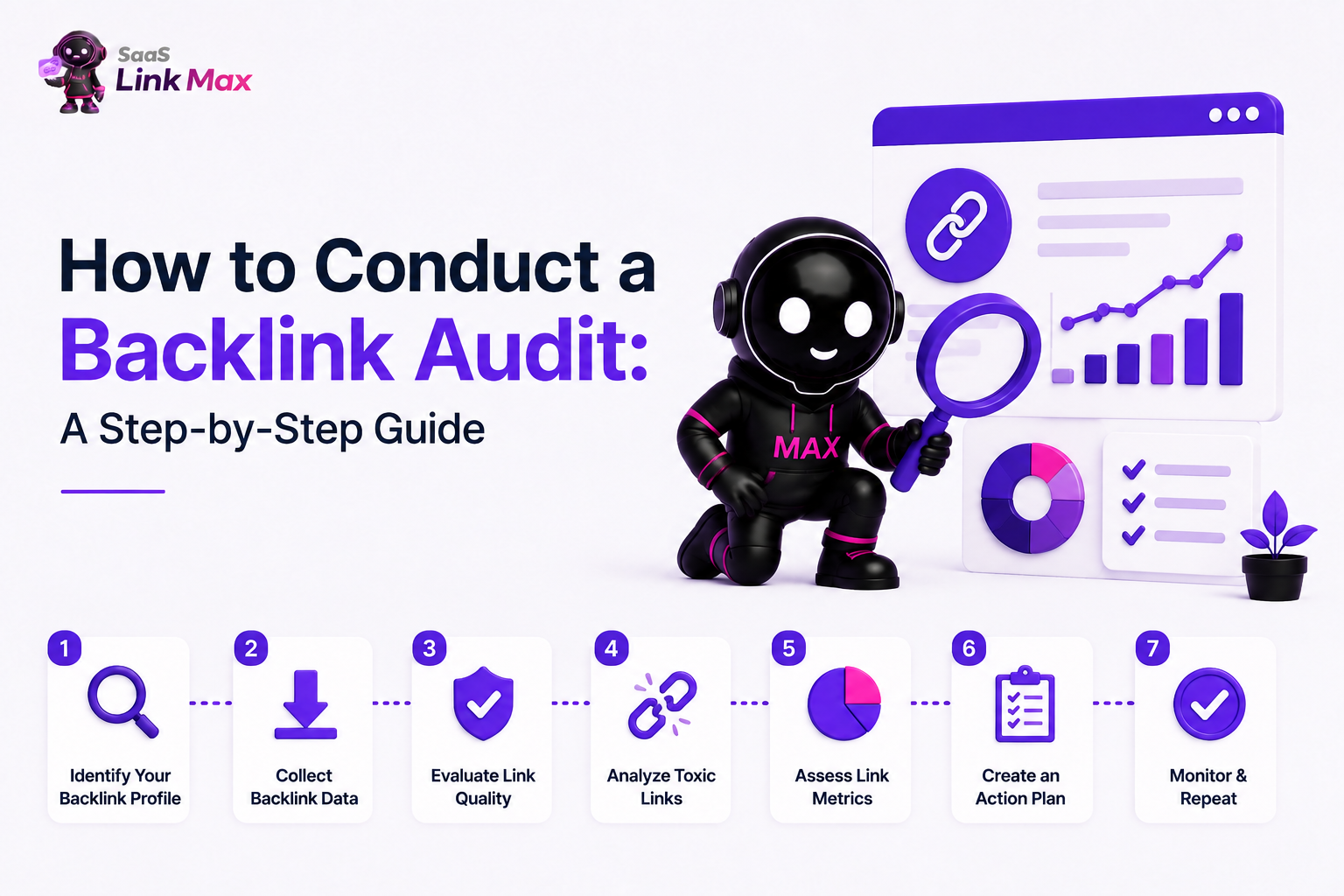
A backlink audit is simply sitting down to check every single link that points to your website from somewhere else and asking one question about each one: "Is this link helping me, or is it hurting me?"
We run these audits constantly at our SaaS link building agency, both for our own website and for client sites before we start any campaign. So, this guide is the exact process we walk through, in the order we walk through it, with the same tools and decisions we make.
What Is A Backlink (Quick Recap)?
A backlink is just a link from someone else's website to yours. If a blog writes an article and links to your homepage, that's a backlink. Google treats these links kind of like votes of confidence - the more good ones you have, the more it trusts your site.
But please pay attention to this detail - a link from a respected industry publication is a strong vote, but a link from a spammy site that exists purely to sell links is more like a vote from someone Google doesn't trust.
That's the whole reason a backlink audit exists. You're going through your "voters" one by one and deciding who stays on your side.
Why Do You Need a Backlink Audit?
But before diving into the how, here’s a quick explanation of why. It’ll give you context for the rest of this guide.
- You’re trying to find these bad links before they do any harm. Google constantly checks its spam-detection system, so those bad links in your profile are being analyzed.
- You’re trying to protect yourself from penalties. In case Google detects manipulation in your link profile, it may penalize your rankings, or even worse, remove your page from search results.
- You’re just trying to learn. An audit shows you which links and which pages are earning the most trust, which is useful information for planning future content.
- You want to see what your competitors have that you don't. This is one of the most underrated parts of an audit, and we'll spend a full section on it later.
Okay, now let's walk through the process.
Step 1: Gather Every Backlink You Have
You can’t audit something that you don’t have, so your first step is gathering a complete list of all links to your site.
The big trick that gets a lot of people on their first audit attempt is this: no one tool covers all links across the whole Internet. Google Search Console will only show you what Google has found for sure. Paid tools such as Ahrefs and Semrush will find more links than Google Search Console, including some that are completely missed by Google. This means I always go to at least two sources and combine the results.
Here’s how to get the data from each source:
- From Google Search Console (it’s free, so you should use it first even if you use a paid tool too):
- Log in to Search Console, and select your website.
- Go to Links on the left panel.
- From “Top linking sites,” click More, and export the whole list.
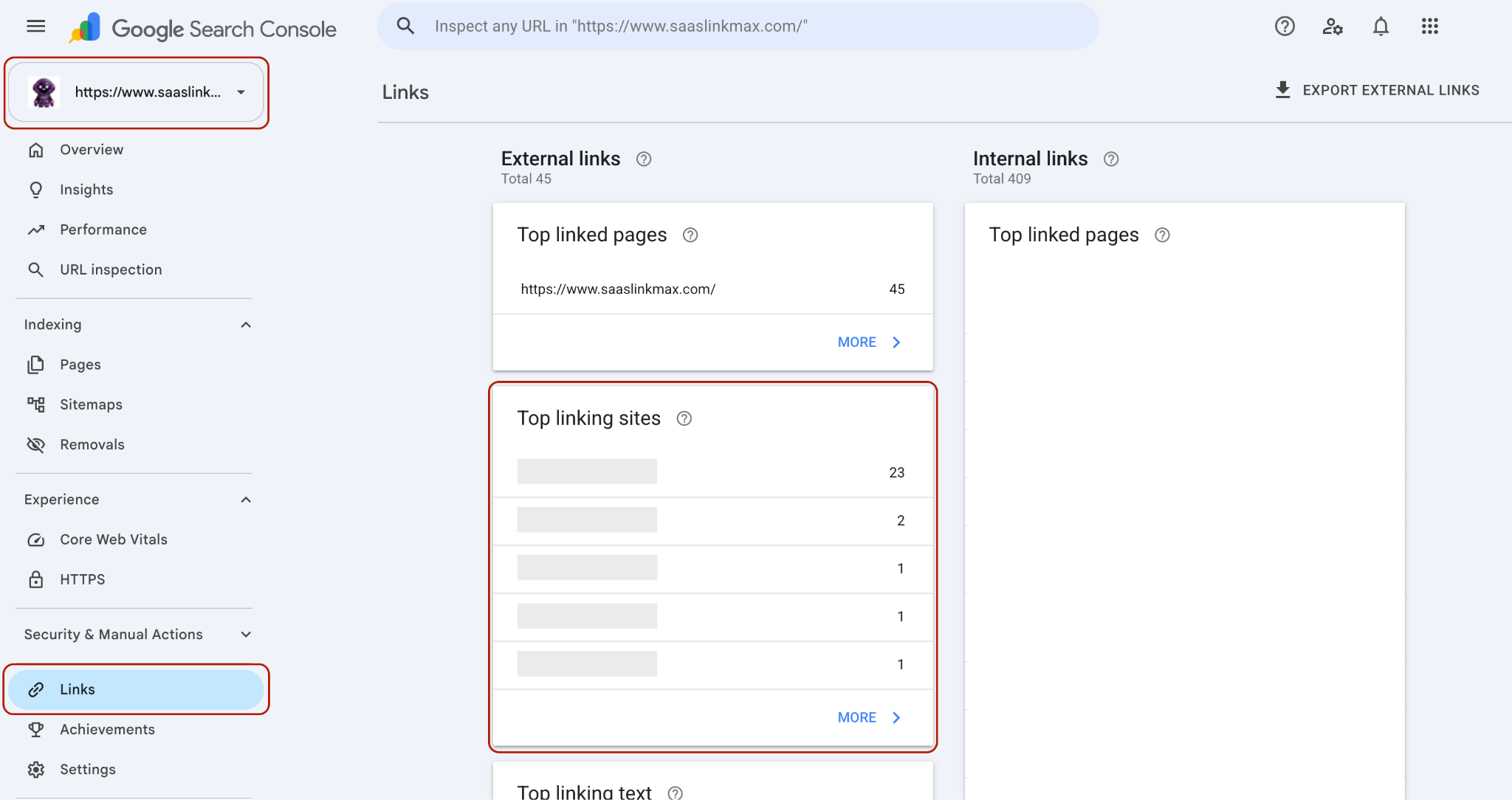
This will tell you everything that Google has found and confirmed. This makes Google Search Console the most reliable source, despite the fact that it is not the most comprehensive.
From a paid backlink tool (Ahrefs, Semrush, Moz, or similar):
- Enter your domain into the tool's Site Explorer.
- Open the Backlinks report.
- Export the full list to a spreadsheet, along with each linking domain's authority score if the tool provides one.
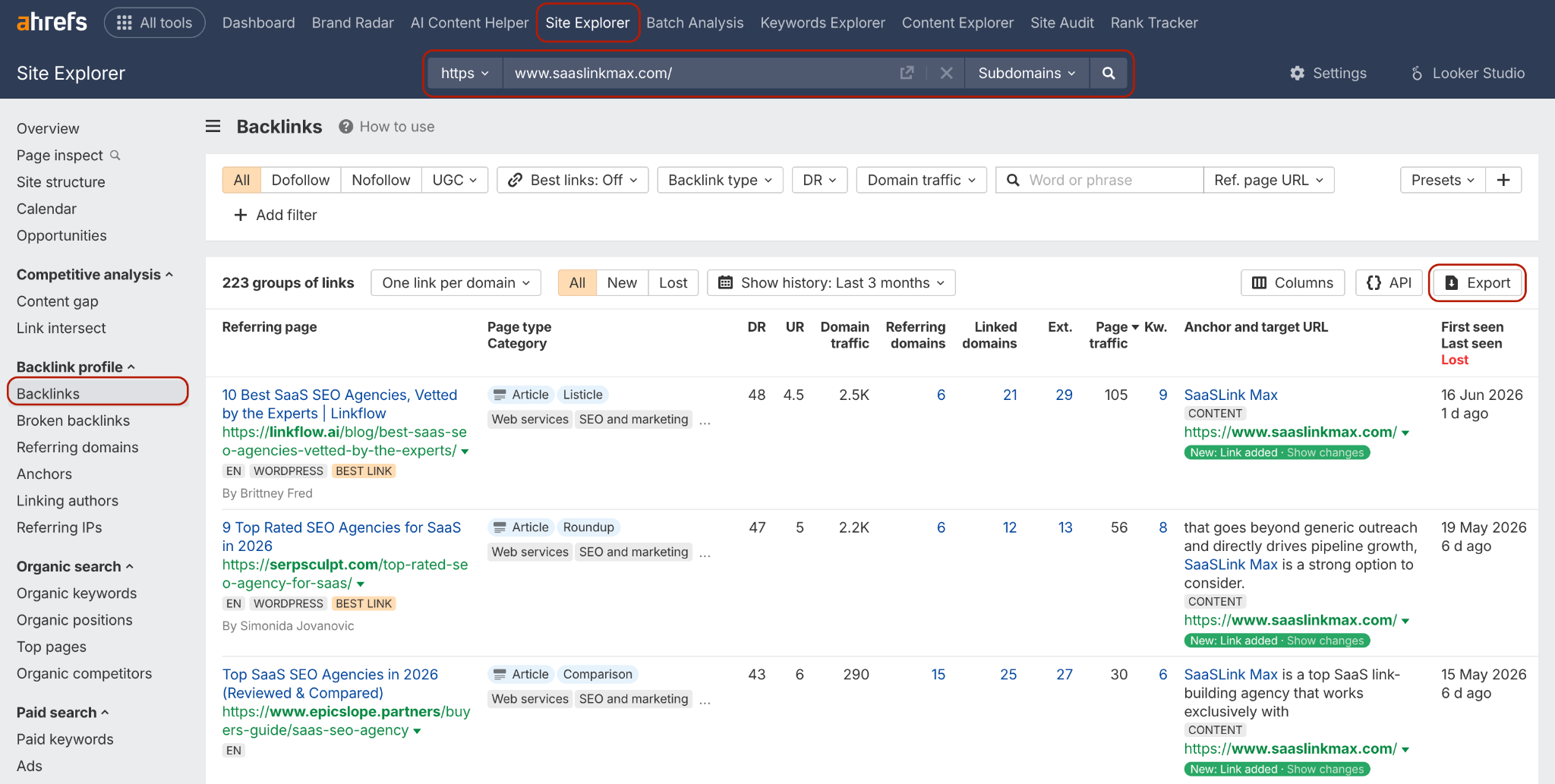
Once you have both exports, drop them into one master spreadsheet and remove any duplicate URLs. It’s not a problem at all if they aren’t identical, as that would be expected with two different tools crawling the Web in their own way. It just matters that now you have one big list to work with.
Step 2: Group Links Into Tiered Quality Groups
Now you don’t need to analyze each link separately, as it becomes quite exhausting, especially when there are hundreds of them. Trust me, I’ve been there. Here you will simply group them into a few categories. And here is what I do on each audit.
- Tier 1 - Valuable: High-quality, relevant, editorial (a site owner actually linked your resource, meaning someone has written content for them and included your link intentionally, not bought or automatically placed).
- Tier 2 - Neutral: Fine, unremarkable links. Small blogs, general directories, guest posts on decent-but-not-amazing sites. Not hurting you, not doing much for you either.
- Tier 3 - Suspicious: Low authority combined with thin or irrelevant content, foreign-language sites with no connection to your niche, or anything that's already been flagged with a spam score by your tool.
- Tier 4 - Toxic: Indicators of manipulation. Private blog network sites, gambling or porn sites which do not have anything to do with you and have been penalized by Google before.
Just a little clarification on what the authority score is, as each software has its own name for it: Domain Authority in Moz, Domain Rating in Ahrefs, and Authority Score in Semrush; but as a general rule of thumb,
- anything above 50 is generally strong,
- 30 to 50 is fine, and
- below 30 deserves a closer look before you assume it's a problem.
But treat this as a guideline, not a rule - a low-authority site that's genuinely relevant to your industry is still worth more than a high-authority site that has nothing to do with what you do.
If you've been live for three or more years, expect to find at least a handful of Tier 3 and Tier 4 links. That's normal. It happens to almost every established site, sometimes through no fault of your own (competitors can build spammy links pointing at you on purpose). At this point, we need to figure out if the “bad links” make up a meaningful chunk of my profile, or are they just noise Google will ignore anyway?
Step 3: Check Your Anchor Text
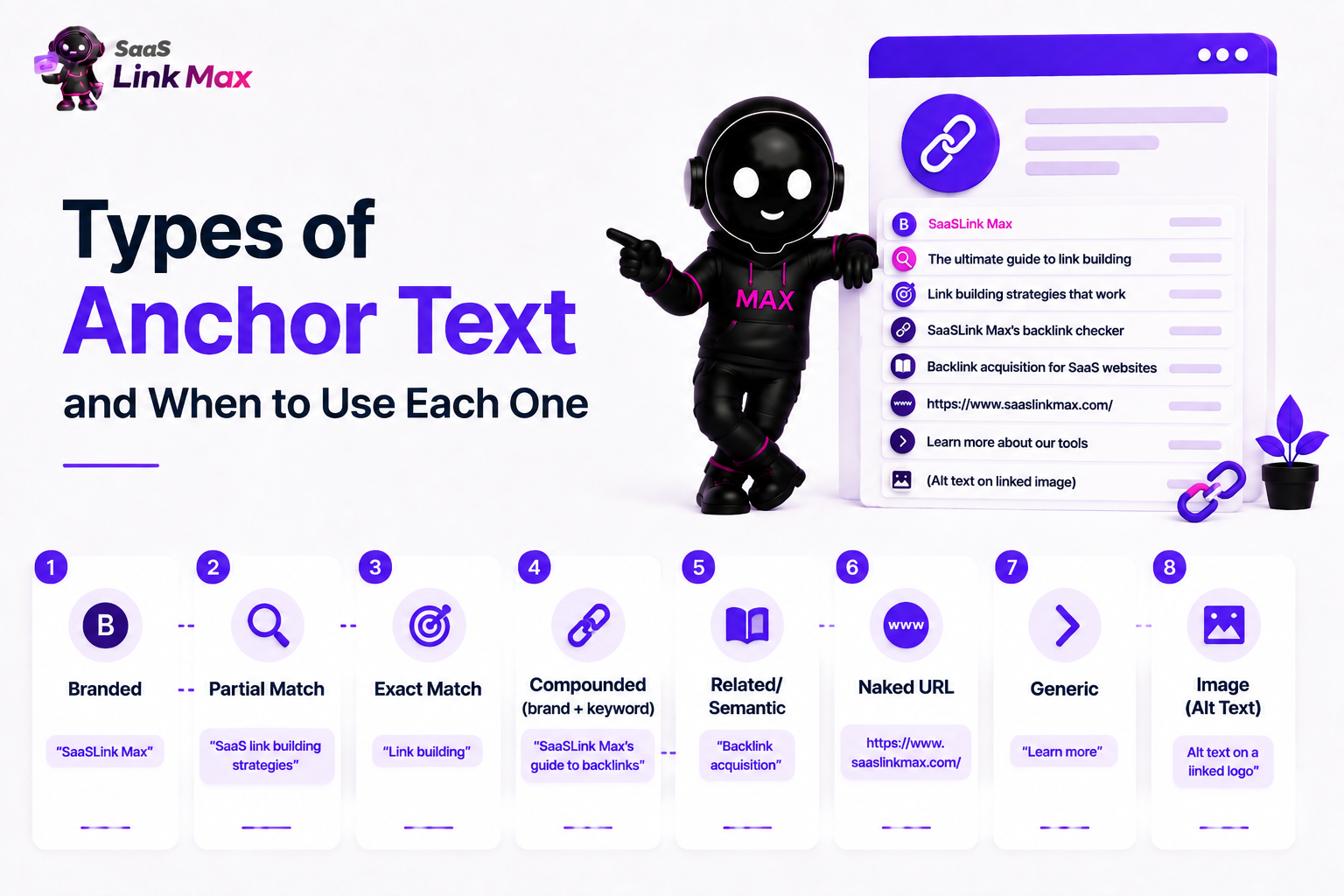
First, let’s introduce one useful term related to this aspect: anchor text is just another name for the clickable words in a link - the text that someone highlighted and made it a clickable hyperlink. In other words, if your article uses such wording as “check out this SaaS link building agency” and “this SaaS link building agency” is the clickable element, then it will be called the anchor text.
We consider checking it important since, when analyzing your backlink profile, Google considers how anchor text patterns are distributed within your links and whether they look natural. Organic links usually contain a balanced anchor text distribution; manipulated ones have many of the same exact keyword phrases as anchors, and this parameter can be easily spotted by search engines.
Here's roughly what a healthy mix looks like:
If, while analyzing your backlink profile, you see that 40% of all links contain the same commercial keyword in the anchor text, then you should take it as an indicator. It means either a mistake in the link-building campaign or an attack by a competitor on your website.
All backlink tools provide a special “Anchors” tab for this purpose.
Step 4: Check Your Dofollow-to-Nofollow Ratio
Another term worth pausing on: links can be either dofollow or nofollow.
- A dofollow link passes on some of its authority to your site - it's the kind that helps rankings most directly.
- A nofollow link has a small tag added that tells Google not to count this one for ranking purposes, though it can still send you real visitors and brand awareness.
You don't want 100% dofollow links, and this surprises a lot of people at first. A natural site - one that earned its links organically over time, from all kinds of different sources - will always pick up a mix of both. Forums, social shares, and certain directories naturally add nofollow tags. If every single link pointing to you is dofollow, that pattern itself looks engineered, because it's not how link building happens in the real world.
A reasonable target is somewhere around 60-80% dofollow, with the rest nofollow. Check this number in your backlink monitoring tool, and if you're wildly outside that range in either direction, it's worth digging into why.
Step 5: Find The Toxic Links
Now you're back to your Tier 3 and Tier 4 buckets from Step 2, and it's time to confirm which of those links deserve action. Here's what I personally look for on every audit before flagging something as harmful:
- The site has no real organic traffic and no real audience.
- The content surrounding your link is very thin, spun, or is obviously created only to support the link placement (this is the hallmark of a private blog network).
- The link is present on every single page of the domain in question (this is known as a "sitewide link") and this virtually never occurs naturally.
- The anchor text of the link is highly exact match and highly commercial.
- The website belongs to an entirely irrelevant and oftentimes downright shady industry (casino, adult, pharmaceuticals) that has absolutely nothing to do with your business.
If a link checks two or more of these boxes, move it into your disavow list. If it only checks one, it's often safer to just leave it alone - Google's own systems are generally good at recognizing and simply ignoring low-value links without you having to intervene at all. Overreacting to every mediocre link is one of the more common mistakes I see, and it wastes time that's better spent elsewhere.
Step 6: Find and Fix Your Broken Backlinks
In my professional opinion, this is one of the easiest wins in the whole audit. So, let’s do it together.
A broken backlink happens when another site links to a page on your website, but that page no longer exists - maybe you deleted it, renamed it, or restructured your site without keeping the old URL alive. When someone clicks that link now, they land on a 404 error page instead of your content. That means all the authority that link was sending you is essentially going nowhere.
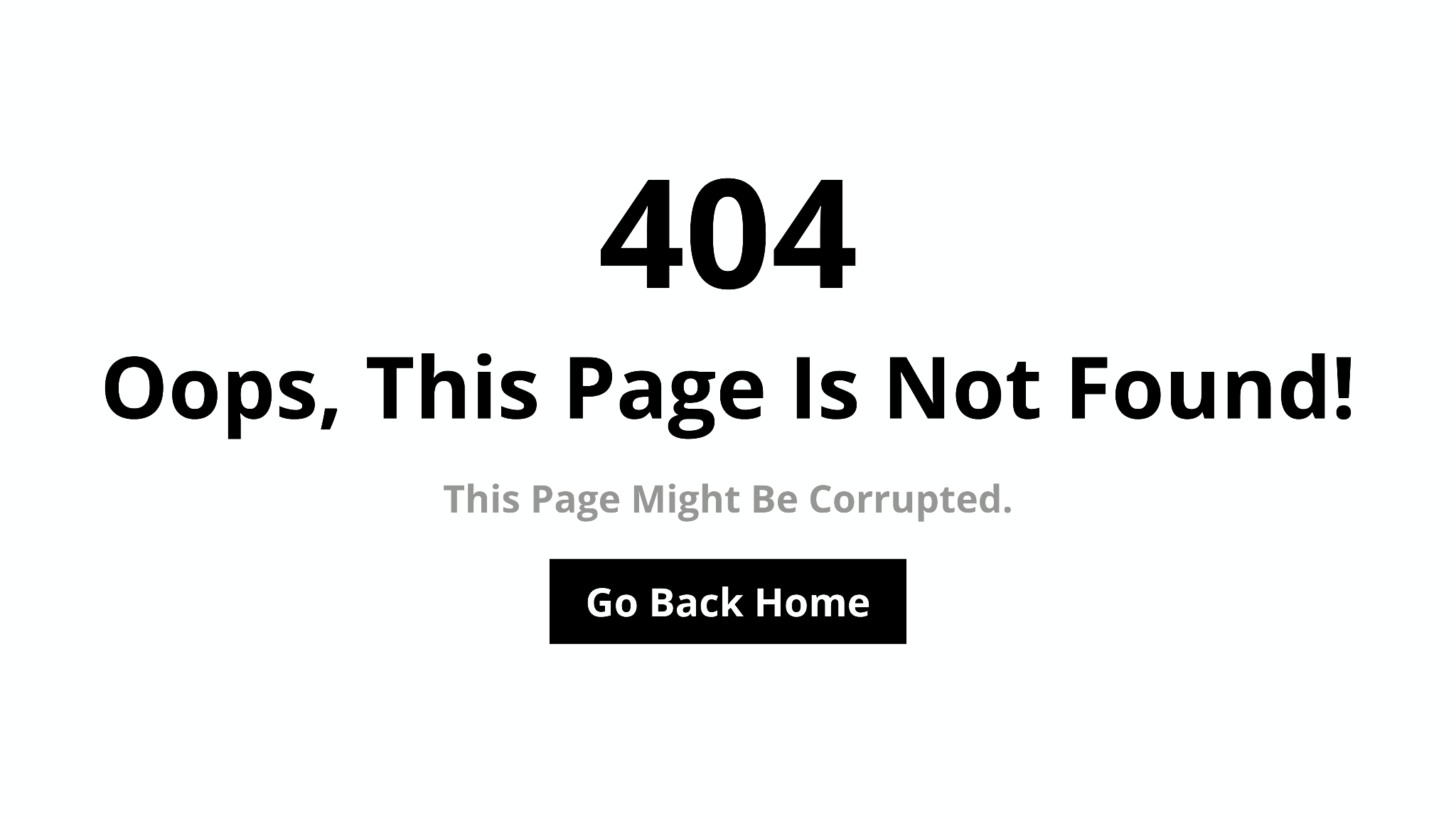
To find these, look for a "Broken Links" or "404" filter in your backlink tool - most of the major ones have this built in.
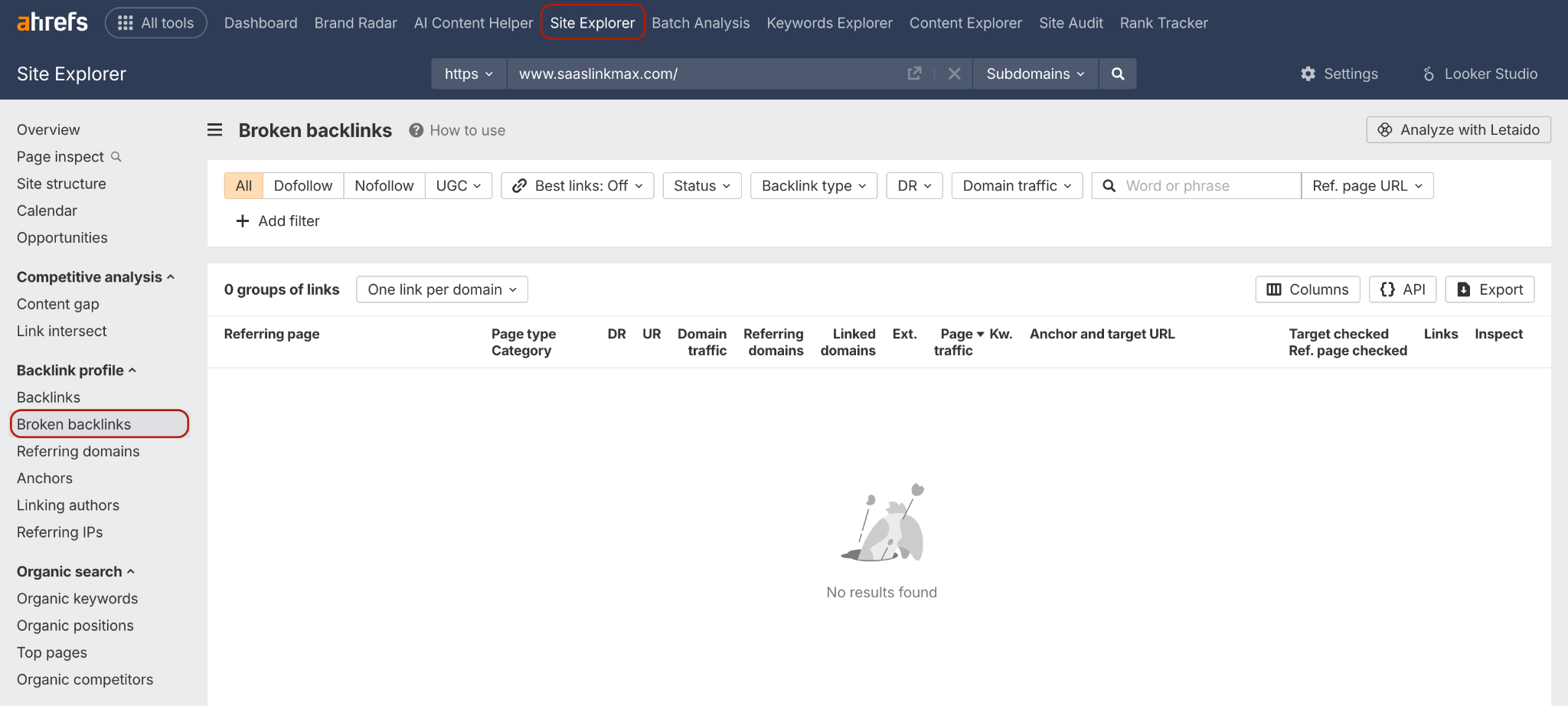
Once you've got the list, the fix is usually simple: set up a 301 redirect (a permanent redirect) from the broken URL to the closest, most relevant live page on your site. This recovers the value of that link almost immediately.
Step 7: Remove or Disavow the Harmful Links
There you go, your links of toxicity! The order that we use, and I would strongly recommend you follow the same order and not move right to the final step:
Start by trying to have the link removed manually. Get in touch with the website owner through their "About us" or "Contact Us" page. Send a polite, specific request. Here's roughly the template we’ve used before:
Subject: Link removal request
Hi [Name],
I run [Your Website], and I'm doing some cleanup on our backlink profile. Would you be able to remove the link to our site on this page: [Page URL]?
The anchor text used is: [Anchor text]
Happy to answer any questions. Thanks for your time either way.
[Your Name]
Keep a record of who you contacted and when. This matters for two reasons: it gives site owners a fair chance to help you, and if you ever need to submit a reconsideration request to Google after a penalty, they specifically want to see evidence that you tried removal first.
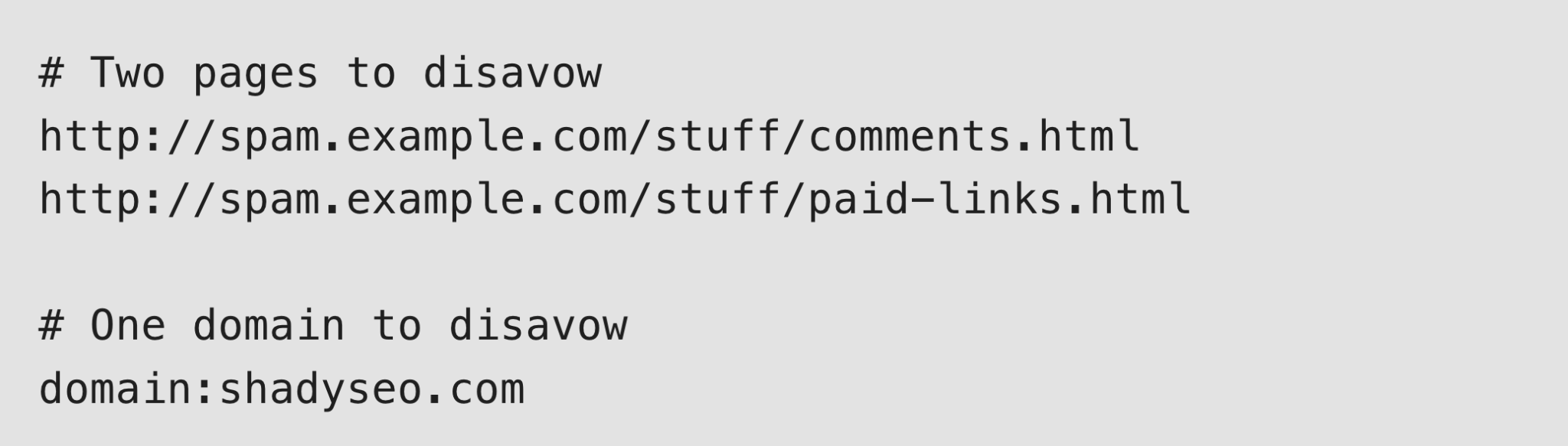
Only after removal attempts fail (or the site is unreachable), use Google's Disavow Tool. This tool tells Google, "please ignore this link when evaluating my site." To use it:
- Create a plain text file listing the URLs or domains you want disavowed, one per line.
- For an entire domain, use the format domain:example.com rather than listing every individual page - this is more efficient when the whole site is the problem, not just one page on it.
- Submit the file through Google Search Console's Disavow Tool.
One important warning here, and it's the single biggest mistake we see beginners make: be conservative. Disavowing a genuinely good link by mistake actively removes authority from your own site - you'd be doing damage to yourself that didn't need to happen.
Only disavow links you have clear, specific evidence are harmful. When you're not sure, leave it out of the file rather than including it "just in case."
If you want to go deeper on this decision-making process specifically, we've written a full breakdown of white hat link building practices that covers where the line sits between acceptable cleanup and overcorrecting.
Step 8: See What Your Competitors Have That You Don't
You don’t want a purely defensive backlink audit, and that’s what I’ve been showing up to this point. You want to grow your site, and for that you need to look outside of what you already have.
Most backlink tools have a feature usually called something like "Link Intersect" or "Backlink Gap." Here's how to use it:
- Pick three to five direct competitors - ideally ones outranking you for the keywords you care about most.
- Run the gap tool comparing your backlink profile against theirs.
- Look specifically for domains that link to multiple of your competitors but not to you.
Those shared domains are your best prospects, and here's why: a site that's already linked to two or three companies in your space has clearly shown it's open to covering your niche. You're reaching out to someone who's already proven they'll say yes to businesses just like yours.
On a recent SaaS client audit, we ran exactly this comparison and found eleven directories and resource pages that linked to three of the client's competitors but had never linked to them. We turned that list into a targeted outreach campaign, and it became the starting point for what eventually grew into a full listicle link building push for that account.
That's the real value of this step - it doesn't just tell you what's wrong; it hands you a ready-made prospect list.
Step 9: Set Up Ongoing Monitoring
Here's something worth understanding before you close out your first audit: this isn't a one-and-done task (sadly). New links are being created and lost every day, and toxic sites can link to you at any time, sometimes even deliberately, if a competitor is trying to make your profile look manipulated.
A simple, realistic cadence looks like this:
- Monthly: A quick glance at any new referring domains your tool has picked up.
- Immediately: Whenever Google Search Console sends you a manual action notification. Never let one of these sit unread.
- Quarterly: A light mini-audit covering just the last 90 days of new links.
- Every 6-12 months (or right after a major Google update, a traffic drop, or a big link-building push): The full audit process you just walked through.
We treat this cadence as standard practice for every client account, because a link profile that looked clean in January can look completely different by June if nobody's watching it in between.
Of course, the team and I also use custom and internally developed monitoring tools, but it all uses similar logic and structure.
A Quick Health Check Before You Wrap Up Backlink Audit
Once you've been through all the steps above, here's a simple table to sanity-check where your profile stands overall:
If most of your profile lands in the "healthy" column, you're in good shape - the goal of ongoing link building from here is simply to keep adding more of what's already working.
If you'd like a second set of eyes on where your specific profile falls, that's exactly the kind of assessment we do as a starting point before any SaaS link building engagement. Send us your domain, and our team gets back to you within 24 hours with a custom strategy (no commitment).
Common Audit Mistakes to Avoid
Quickly, before you go - a few things I see even experienced marketers get wrong. Although I’ve already mentioned these, just a reminder:
- Disavowing too aggressively. A low authority score alone isn't proof a link is toxic. Combine multiple signals before you act.
- Skipping the manual removal step. Going straight to disavow, without ever trying outreach, wastes an opportunity and looks worse if you ever need Google reconsideration.
- Relying on a single tool. No tool sees the whole web. Cross-check at least two sources every time.
- Treating it as a one-time project. Your profile changes constantly - build monitoring into your routine, not just your calendar reminder for "next year."
Where to Go From Here
If this is your first audit, don't feel like you need to fix everything in one sitting. I’ve been there. Done that. Work through the steps in order, be conservative with disavowal, and prioritize the toxic links that pose real risk over chasing every single low-quality link to zero.
And once your profile is clean, the natural next step is building it up further with genuinely good links - which is a topic we've covered in a lot of depth on our blog, including our guide to SaaS link building strategies and our breakdown of how many backlinks you need to rank.
If you'd rather have this whole process, audit included, handled for you, that's exactly what we do day to day at SaaSLink Max. So, feel free to get in touch, and we're happy to walk through it with you.
Frequently Asked Questions
What's the difference between a backlink and a referring domain?
A backlink is one individual link. A referring domain is the website that link comes from. One domain can send you five, ten, or a hundred backlinks, but it only counts as one referring domain, which is why referring domain count is often a more meaningful health metric than raw backlink count.
Does disavowing links help my rankings?
It can, but only if the links you're disavowing were genuinely hurting you in the first place. For most sites with a small handful of low-quality links, disavowing does little to nothing, because Google's own systems already discount those links automatically. Disavowal matters most when you have a real toxic-link problem or an active manual penalty.
How do I know if a backlink is toxic?
Look for a combination of red flags together, not just one: no real traffic, thin or spun content, sitewide placement, aggressive exact-match anchor text, or complete topical irrelevance (like a gambling site linking to a business software company). One weak signal alone usually isn't enough to call a link toxic.
Can you have too many backlinks?
Not in terms of raw quantity, but you can absolutely have too many low-quality ones acquired too quickly, which is a pattern that looks manipulated regardless of the total count. A hundred relevant, editorial links will always outperform ten thousand links from directories and forums.