%20(250%20x%20100%20px).png)




If you've been doing SEO for your SaaS for a while, you probably have more backlinks than you think you do. A chunk of these links just aren't doing anything for you.
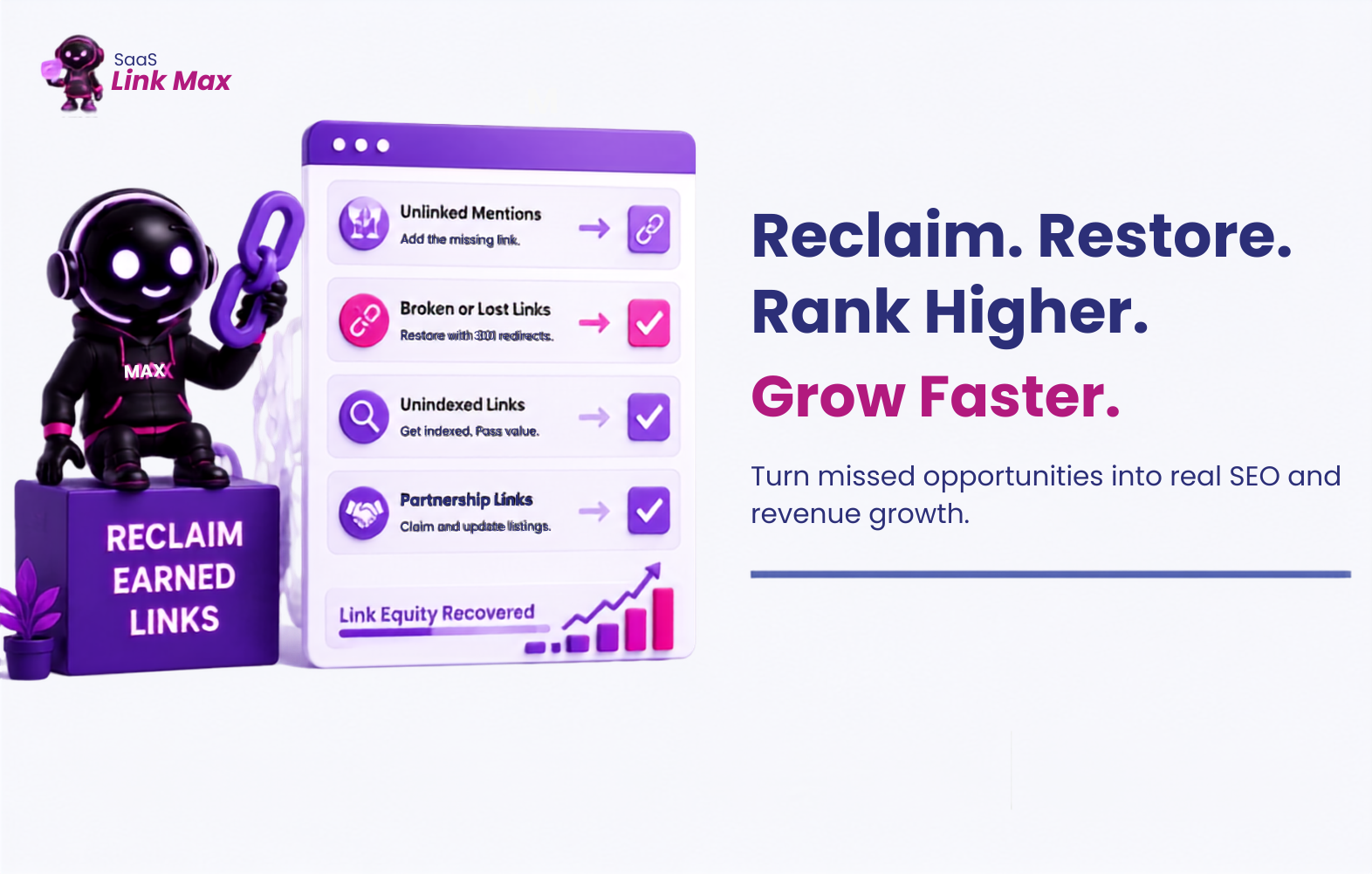
Reclaiming SaaS backlinks means recovering link equity you've already earned but aren't getting credit for.
There are three places SaaS backlinks typically go unclaimed:
- Unlinked mentions - someone wrote about your product but never added the link.
- Broken or lost links - the link existed, but the page moved, changed, or got deleted.
- Unindexed links - the link is live and correct, but Google never crawled the page it lives on, so it's not passing any value at all.
If you want the full playbook on building new links from scratch, we've already covered that in our guide to SaaS link building strategies. This one is just about how exactly you should reclaim your SaaS backlinks.
Why Reclaiming SaaS Backlinks Matters for Your Growth Metrics
A reclaimed link that starts passing authority again brings referral traffic back to a live page, and for a SaaS company, that traffic usually lands on a free trial or freemium signup page, not just a blog post.
Where a visitor lands matters a lot in SaaS. Click a working link into a smooth onboarding flow, and you're much more likely to get a signup than if that same click hit a dead page. Do this enough times with reclaimed links, and you'll see it in your MRR and, eventually, your ARR.
It's also cheap. You're not writing new content or buying ads. You're just fixing something that already earned you a mention once. That's why it tends to pull down blended CAC.
Then there's retention, which people forget about. A lot of backlinks point to feature pages, integration guides, API docs - places existing customers go when they're trying to figure something out, not just prospects checking you out for the first time. Fix those links, and you're quietly supporting product education, which shows up later as lower churn and better LTV.
Step 1: Find and Reclaim Unlinked Brand Mentions
This is usually the fastest way, since you're asking someone who already decided your product was worth mentioning. They probably just forgot the link, their CMS stripped it out, or they never meant it as a "backlink" to begin with.
How to find them:
- Search your brand or product name in Ahrefs Content Explorer, then use the "Highlight unlinked domains" filter. This shows you every page that mentions you without linking to you.

- Set up a Google Alert for your brand name and any distinct product features. This catches new mentions going forward, so you're not doing this as a one-off audit.
- Try a manual search operator: "your brand name" -site:yourdomain.com to surface pages talking about you that aren't your own site.
How to filter for the ones worth chasing:
Prioritize by relevance to your niche and the domain's traffic - a mention on a dead blog with no visitors isn't worth your time, even if it technically counts as a "mention."
How to get the link added:
Frame the ask as a helpful correction. Something like:
"Hey [Name] - loved the piece on [topic]. Noticed you mentioned [Product] but the link didn't make it into the article. Happy to send over the right URL if that's useful for your readers."
Short, specific, no guilt-tripping. One of our top link builders at SaaSLink Max put it this way: "Unlinked mentions convert at a completely different rate than cold outreach. You're just closing a loop the writer already opened by simply helping their readers."
Step 2: Recover Lost Links (404s and Broken Redirects)
Links break when you redesign your website, remove an old landing page, change the URL slug, or move your website from one CMS to another without properly redirecting links. That link on another website still refers to the old URL, but it doesn’t lead anywhere anymore.
Here’s how to identify missing links:
- The "Lost Backlinks" report by Ahrefs finds all links to a live page that now redirect to a 404. You can also use Semrush, Moz, and Monitizlink. Some tools have a friendlier UI than others.
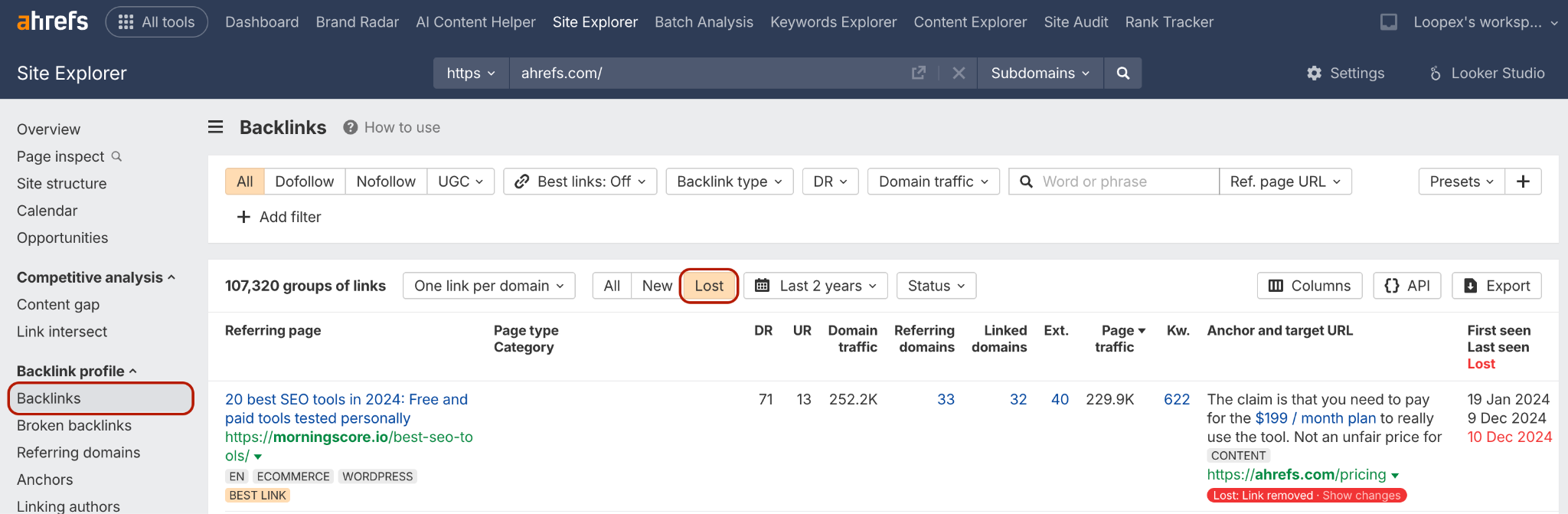
- Check Google Search Console for a Coverage report that tells you what URLs of your website generate errors.
- If you recently migrated or revamped your website, run this check immediately after doing it. No need to wait until the time of your regular audit.
How to solve the problem:
Create a 301 redirect from a broken URL to a new live URL of a page covering the same topic. For example, if you had a backlink to a specific page with pricing, redirect it to the current one. Redirect to something else if the original content doesn’t exist anymore.
Step 3: Get Your Earned Links Indexed (the Leak Most Teams Miss)
A backlink only passes value once Google has crawled and indexed the page it lives on. Until then, it's sitting there doing nothing.
This hits smaller or newer sites hardest. A guest post on an established, high-authority publication gets crawled almost immediately because Google already visits that site constantly. A guest post on a smaller niche blog, a fresh directory listing, or a newer community site can sit in the crawl queue for weeks, sometimes indefinitely.
How to check if your links are indexed:
- Run a site: search for the exact URL the link lives on (the specific page).
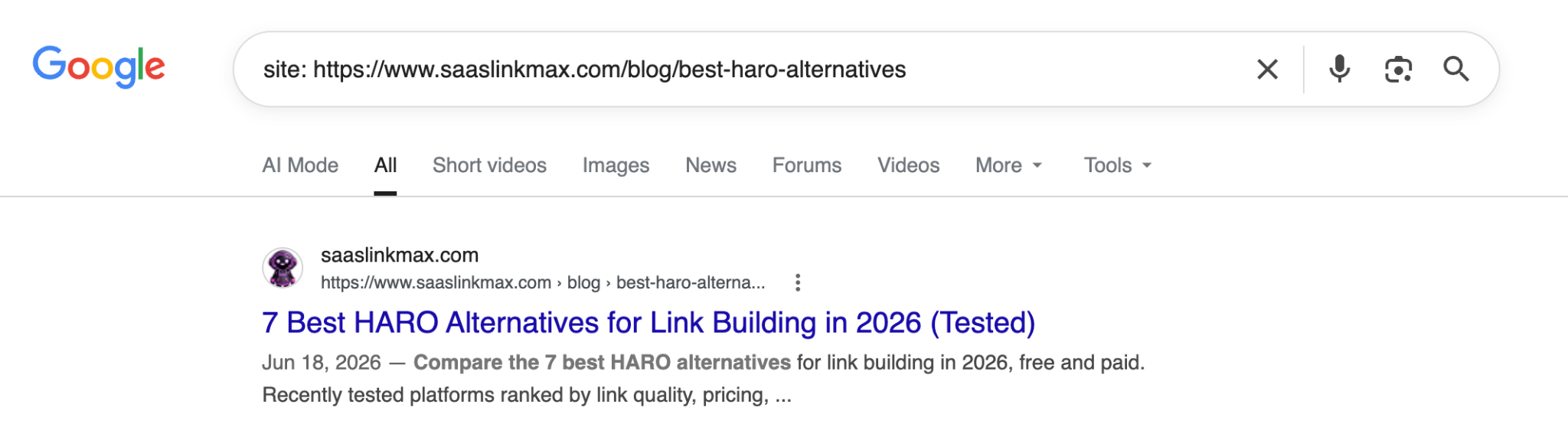
- For a larger list of backlinks, cross-reference your "earned backlinks" report in Ahrefs against what's indexed, so you can see the gap at a glance.
How to get an unindexed page crawled:
- Submit the URL through Google Search Console's URL Inspection Tool and request indexing.
- Add an internal link to that page from somewhere on your own site if you have any influence over it (relevant for co-authored content, partner pages, etc.).
- Share the page somewhere with real traffic - a crawl signal from an active referral source can nudge the bot back to a page it's ignoring.
Is this manipulative? No, and it's worth being precise about that distinction. You're not manufacturing authority or faking a link that doesn't exist. You earned a real link on a real page; you're just making sure Google's crawler visits it. It's no different from submitting your own new blog post to Search Console.
The line to stay on the right side of is simple: only push for indexing on legitimate links pointing to genuine content. If the link itself is spammy or the site is low-quality, indexing it faster won't help you, and you shouldn't want it to.
As one of our SaaSLink Max link builders puts it: "Half the backlink audits we run for new clients turn up links they didn't know were sitting unindexed. It's the cheapest traffic bump you'll ever get, because the work is already paid for."
Step 4: Reclaim Links Through Existing Partnerships
Your existing partners, vendors, and integration platforms are an easy source of backlinks you may not have fully claimed yet.
- Check whether your SaaS is listed and linked in the integration marketplaces of every tool you connect with - Zapier, Salesforce AppExchange, and similar directories often require you to actively claim or update your listing.
- Look through partner or vendor sites for outdated or unlinked mentions of your product, especially if you co-authored a case study, appeared in a webinar, or were part of a joint announcement that never got a follow-up link.
These tend to be faster wins than cold outreach because the relationship already exists — you're just asking someone you know to close the loop.
How to Track Whether Your Reclaimed Links Are Working
You need just three things to track your reclaimed SaaS backlinks:
- Indexed ratio: how many of your earned links are indexed, checked periodically rather than once.
- Referring domains recovered: track this month-over-month so you can see the reclaim work compounding.
- Organic traffic on the specific pages that received reclaimed links: this is the number that actually matters to the business.
Most processes I described are under manual link building, but tracking can be automated with backlink monitoring tools.
Closing Thoughts
Reclaiming links is a good ongoing habit, but it works best alongside a real acquisition strategy; you're just polishing a small pool of links instead of growing it. You can either follow our detailed SaaS link building checklist, or have a team handle both sides of this:
- Find new placements through guest posting, niche edits, and digital PR for SaaS,
- And keep your existing backlink profile healthy.
Get in touch with us, and we'll take a look at where your current link profile is leaking value.
Frequently Asked Questions
What does it mean to "reclaim" a backlink?
It's when you go after the SEO value of a link you technically already earned, but aren't getting credit for, usually because it's unlinked text, the link broke at some point, or Google never indexed the page it's on.
How do I find unlinked mentions of my SaaS?
Ahrefs Content Explorer is the easiest starting point. There's a filter that highlights domains mentioning you without a link back. You can also just search your brand name with -site:yourdomain.com to strip out your own site from the results. Google Alerts is worth setting up, too, mostly so you're not doing this search manually every month.
Why isn't my backlink showing up in Google?
Nine times out of ten, it just hasn't been crawled yet. Smaller or newer sites don't get visited as often, so there can be a real lag between "link goes live" and "Google notices it exists."
How do I fix a broken backlink?
301 redirect from the dead URL to whatever page on your site is closest in relevance. That's really it, just don't redirect everything to your homepage out of laziness, it dilutes the value.
Is requesting indexing considered manipulative?
No, as long as the underlying link is legitimate. You're not creating fake authority - you're making sure a real, earned link gets seen and counted.