%20(250%20x%20100%20px).png)




You build YouTube backlinks for SaaS through your video descriptions, pinned comments, channel About page, creator collaborations, and by embedding your videos back into your own blog content. None of these pass traditional link equity - YouTube marks them nofollow by default - but they do three things:
- Bring referral traffic,
- Reinforce brand entity signals, and
- Support a healthier, more diversified SaaS link building profile.
This guide walks through exactly where to place these links, what to avoid, and how to get other channels linking to you.
Do YouTube Backlinks Help SaaS SEO?
Indirectly, yes. Directly, no.
YouTube slaps a nofollow tag on links in descriptions and comments, so they don't pass PageRank the same way a dofollow link from a relevant blog post would.
What they do instead:
- Send referral traffic to landing pages that are already primed to convert (someone who just watched an 8-minute product walkthrough is a warmer lead than someone who clicked a random guest post).
- Reinforce entity association between your website and your YouTube channel, which helps both properties show up together in branded search results.
- Support engagement signals - when a video brings in a real visitor to your site who sticks around, that's a positive signal search engines do track, even if the link itself doesn't count as equity.
If you're building a SaaS link building strategy that leans entirely on dofollow blog links, YouTube is the piece that adds diversity and real humans to the mix.
One of our expert link builders at SaaSLink Max says this: "Founders come to us wanting to know if a YouTube link 'counts.' Wrong question. The right one is whether it converts - and a trial-page link in a demo video description converts better than half the guest posts we audit."
Are YouTube Links Dofollow or Nofollow?
Nofollow, by default, across descriptions and comments. This has been the case since Google introduced the nofollow attribute for user-generated content, and YouTube applies it platform-wide - there's no setting to change it.
This matters for how you should be thinking about YouTube backlinks: they're not a substitute for contextual backlinks earned through editorial placements on relevant SaaS blogs. They're a complementary channel.
The 5 Places to Put SaaS Backlinks on YouTube
1. Video Description
This is your primary real estate. YouTube truncates descriptions after the first 2-3 lines before showing "more" - so your link needs to sit above that fold, not buried under a paragraph of hashtags.
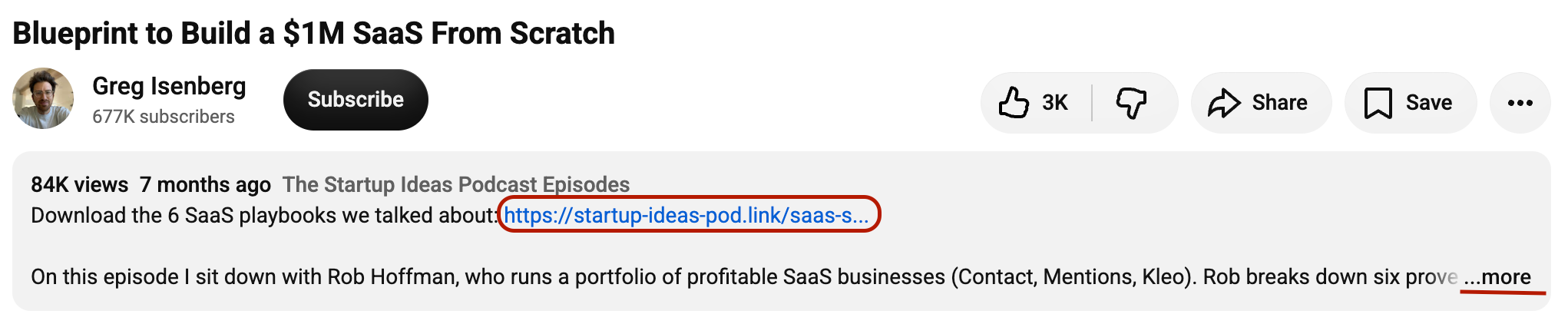
For SaaS specifically:
- Lead with the link: Start your 14-day free trial of [Product]: [URL]
- Match the linked page to the video's topic. A tutorial on "how to automate X" should link to the feature page for that automation, not your generic homepage.
- One important platform limit: YouTube Shorts don't support clickable links in descriptions! If your SaaS content strategy leans on Shorts for reach, you'll need a long-form counterpart to capture the click.
2. Pinned Comment
Your own comment, pinned to the top of the thread, with a direct CTA and link. This works because it survives after the description gets collapsed - viewers scrolling to comments (which a large share of engaged viewers do) see it immediately.

Keep it short: state the benefit, not the feature list. "Grab the free template we used in this video → [URL]" beats a three-sentence sales pitch every time.
3. Channel "About" Page
You get up to 14 custom links here, displayed below your channel banner. Most SaaS channels waste this on social icons alone. Use at least a few slots for:
- Homepage
- Pricing page
- Free trial/demo booking page
- Your best-performing lead magnet or guide

This is low-effort, one-time setup work with a long shelf life - set it once, and it keeps working.
4. Cards & End Screens
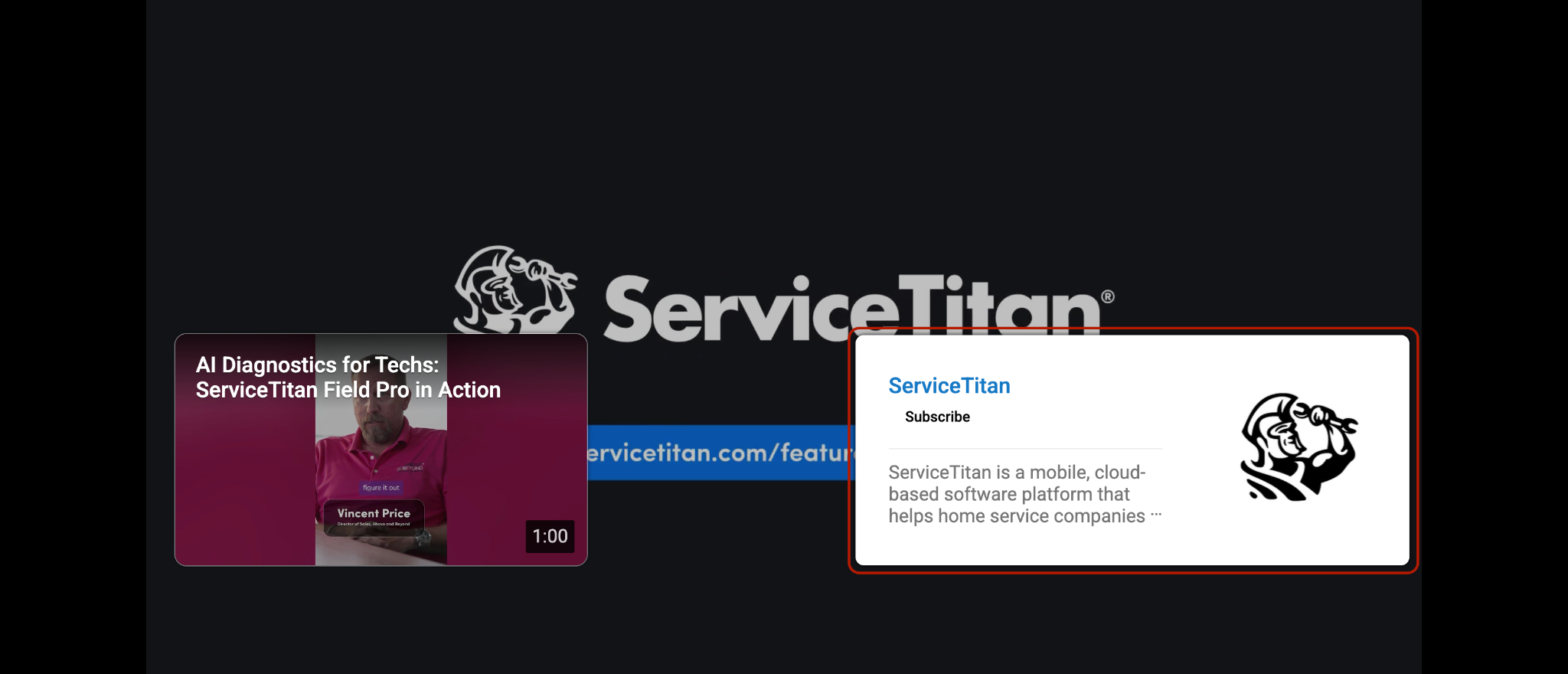
Cards and end screens can point to external URLs, but only if your channel is part of the YouTube Partner Program (YPP). Without YPP, these are limited to linking to other YouTube content - not your website. If you're not eligible yet, don't rely on this as your external link mechanism; description and pinned comment links work regardless of YPP status.
5. Embedding Your Own Videos in Your Blog
This is the reverse-flow tactic, and it's one of the most overlooked pieces of a linkable assets strategy for SaaS. Take your product demo, tutorial, or explainer video and embed it directly into the blog post or docs page it relates to.
What this does:
- Increases average time on page, which is a real engagement signal
- Boosts the video's own watch time, which helps it inside YouTube's algorithm
- Gives you two assets - the page and the video - reinforcing each other instead of competing
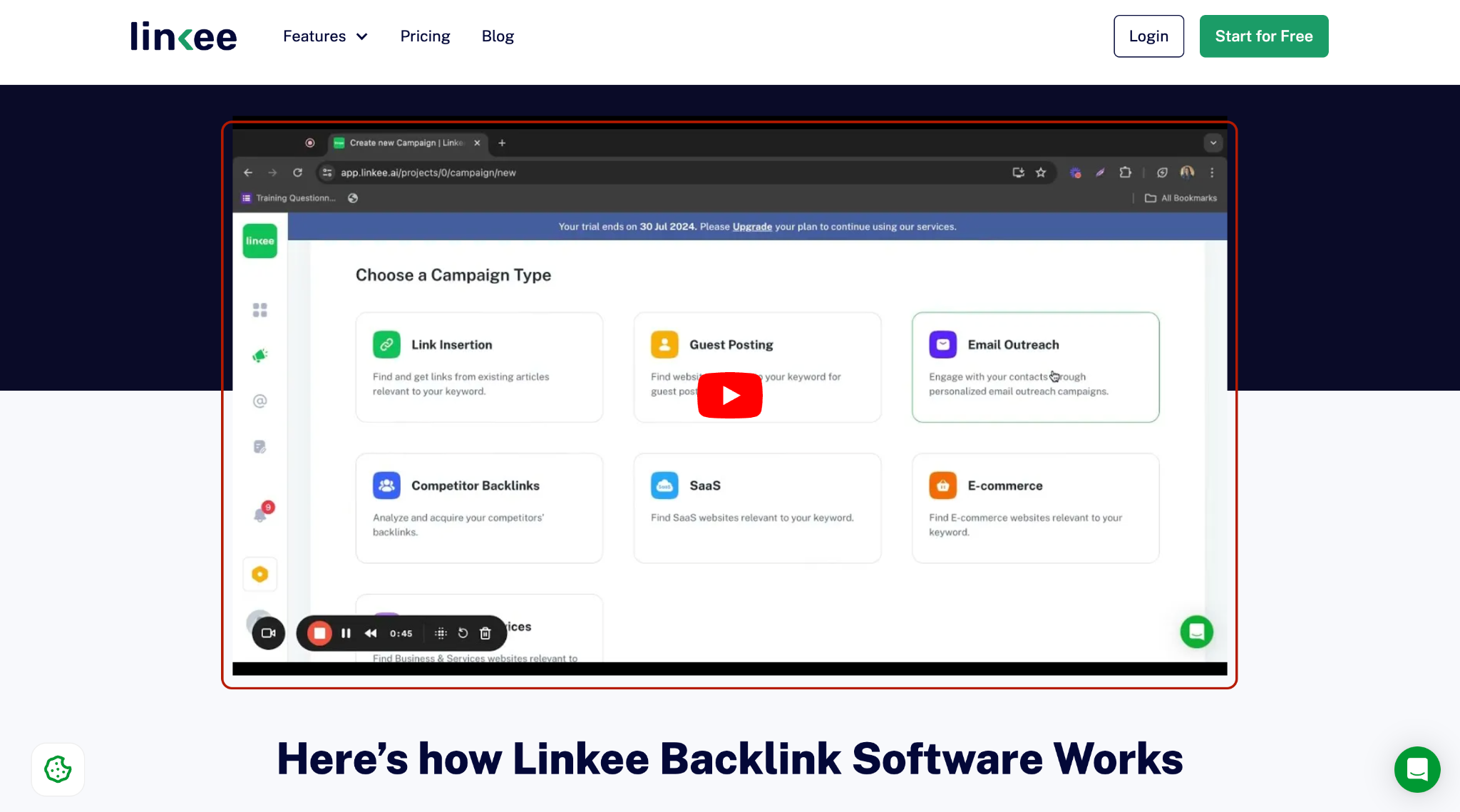
If you have a comparison page or feature page that's underperforming, a relevant embedded video is often a faster fix than another round of copy edits.
Getting Other Channels to Link to Your SaaS
Your own channel only gets you so far. The real leverage is getting other creators, the ones your buyers already trust, to link to you.
For SaaS specifically, target:
- Software reviewers and "best tools for X" channels in your category
- Industry consultants and educators who serve your ICP (an accounting SaaS partnering with a small-business tax consultant, for example)
- Complementary tool creators whose audience already uses adjacent software

What to ask for when you land a collaboration - be specific, don't leave it to the creator's discretion:
- A link in the description, placed above the fold
- A mention in the pinned comment if the video generates active discussion
- Where relevant, a specific landing page rather than your homepage
This is functionally the video equivalent of guest posting for SaaS - you're borrowing an audience's trust. The mechanics differ, but the underlying logic (relevance + audience overlap + a real relationship) is identical to any SaaS digital PR play.
One of our leading professionals at our SaaS link building agency says this: "The SaaS founders who get the most out of creator collabs treat it like a real partnership. They ask what the creator's audience needs, then build a video around that. The link is a simple byproduct."
Should You Use YouTube Backlink Generators (LenosTube, Nimtools, etc.)?
No - skip these for any campaign tied to your brand.
Tools that auto-submit your video URL to bulk directories, ping services, and low-quality blogs might nudge indexing speed slightly, but the links they generate are near-worthless for SEO and carry real risk:
- account flags,
- spam associations, and
- a backlink profile that looks manufactured the moment anyone audits it.
This is the same logic that applies any time you're deciding whether to buy backlinks - volume without relevance or editorial control is a liability, not an asset.
If you want faster indexing for a new video, submit it through Search Console or share it on a platform where your audience will click it. That's a better use of the time.
Mistakes That Waste YouTube Backlinks for SaaS
- Linking to your homepage instead of a targeted page. A viewer who just watched a demo of your reporting feature should land on that feature's page, not your generic homepage.
- No tracking. Add UTM parameters to every link so you know which videos drive signups, not just views.
- Generic anchor text and CTAs. "Click here" tells a viewer nothing. "Start your free trial" or "See the pricing breakdown" sets expectations and brings in more clicks.
- Ignoring the Shorts limitation. If your content plan is Shorts-heavy, build a long-form companion video for anything you want to link out from.
- Treating this as a replacement for real link building. YouTube backlinks are traffic and brand infrastructure. They won't help your domain authority the way a well-placed SaaS niche edit or editorial placement will.
Quick-Reference Table
Where YouTube Backlinks Fit Into Your Broader SaaS Link Strategy
YouTube backlinks are one input in the whole system. If you're building out a full SaaS link building checklist, video should sit alongside editorial links, digital PR, and contextual placements - each doing a different job. Video earns trust and traffic; dofollow editorial links earn authority.
If you want help figuring out where YouTube fits into your specific link profile, or want a hand with the editorial and PR side that moves rankings, get in touch with our SaaSLink Max team, and we'll walk through it.
FAQ
Do YouTube backlinks help SEO?
Indirectly. They're nofollow by default, so they don't pass link equity, but they drive referral traffic and support brand entity signals that search engines do factor in.
Can I add clickable links to YouTube Shorts?
No. As of YouTube's 2023 policy update, clickable external links are only supported in long-form video descriptions (not YouTube Shorts).
How many links can I add to my channel's About page?
Up to 14. Use a few beyond your social icons for your homepage, pricing page, and a trial or demo link.
Should I use automated YouTube backlink generators?
No, not for anything tied to your brand. They produce low-quality, spammy links with real account risk and minimal SEO upside.